
Intermediate — The Technology Behind Touch Screens
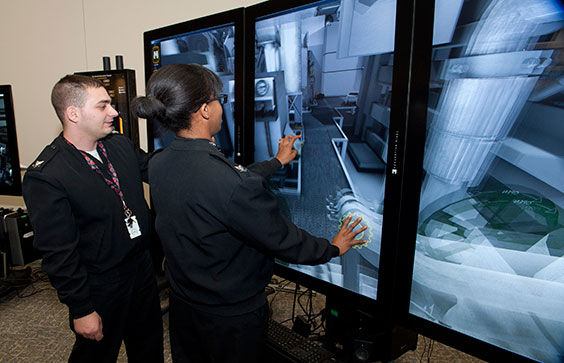
Sailors using a training simulator with a touch screen.
This article was written at an intermediate ESL level, so it is most ideal for learners who have a basic understanding of English and are ready to improve their fluency with more complex grammar and vocabulary. For advanced or beginner level articles, visit the “ESL” page.
Touch screens have completely overtaken modern life. We use them on smartphones, tablets, laptops, and even at self-checkout machines in stores. With just a tap or swipe, we can send messages, play games, or browse the internet. This technology feels simple and natural, but it is actually the result of advanced engineering and design. Many people use touch screens every day without understanding how they work. So, how does a screen know exactly where you are touching it?
The answer lies in special sensors and electrical signals that detect your finger’s movement. Touch screens are designed to respond quickly and accurately. This allows users to interact with digital devices in a smooth and intuitive way.
What Is a Touch Screen?
A touch screen is a display that can detect and respond to touch. Unlike traditional screens that require a mouse or keyboard, touch screens allow users to control devices directly by touching the screen.
When you tap an icon, scroll through a page, or zoom in on a picture, the touch screen senses your finger. It then sends that information to the device’s computer system. The system then performs the correct action, such as opening an app or moving an image.
Touch screens combine two main parts: a display that shows images and information and a sensor layer that detects touch. These layers work together to create an interactive experience.
Types of Touch Screens
There are different types of touch screens, but the most common one used in smartphones today is called a capacitive touch screen. Another older type is called a resistive touch screen.
Resistive touch screens work by using pressure. They have two thin layers separated by a small gap. When you press the screen, the layers touch each other and complete an electrical circuit. The device then calculates the position of the touch. These screens can be used with a finger, a stylus, or even gloves, but they are less sensitive and not as smooth as newer technology.
Capacitive touch screens, on the other hand, use the electrical properties of the human body. Your body can conduct electricity, and when your finger touches the screen, it changes the electrical field on the surface. This change is detected by sensors, allowing the device to find the exact location of your touch. Capacitive screens are more responsive and support gestures like swiping and pinching.
How Do Capacitive Touch Screens Work?
Capacitive touch screens are made with a thin layer of conductive material, often indium tin oxide, placed on top of the glass screen. This layer stores a small electrical charge. When your finger touches the screen, it draws a tiny amount of this charge away from the surface. Sensors placed around the screen detect this change in the electrical field. By measuring where the change happens, the system can determine the exact point of contact. The touchscreen then sends this information to the device’s processor. The processor quickly decides what action to perform based on where and how you touched the screen. This entire process happens in a fraction of a second, making the interaction feel instant.
Multi-Touch and Gestures
One important feature of modern touch screens is multi-touch. This means the screen can detect more than one touch point at the same time. For example, when you use two fingers to zoom in on a photo, the touchscreen recognizes both touches and measures the distance between them. As your fingers move, the system calculates the change and adjusts the image size. This allows for more natural and flexible interactions. Common gestures include tapping, swiping, dragging, and pinching. These actions have become standard ways to control digital devices.
Why Are Touch screens So Responsive?
Touch screens are designed to respond quickly and accurately. Engineers achieve this by using fast processors and highly sensitive sensors. The system must detect touch, process the information, and update the display almost instantly. The screen also refreshes many times per second, allowing it to show smooth motion. At the same time, software is programmed to understand different types of touch, such as a quick tap or a long press. This combination of hardware and software creates a seamless user experience.
Everyday Uses of Touch Screens
Touch screens are used in many different devices and industries. Smartphones and tablets are the most common examples, but the technology is also found in other places.
For instance, touch screens are used in ATMs and banking machines, self-service kiosks in restaurants, car navigation and control systems, medical equipment in hospitals, and smart home devices
These applications show how touch screens have become an essential part of modern technology. They make devices easier to use and more accessible for people of all ages.
The Future of Touch Screens
Touch screen technology is still developing. Engineers are working on new innovations. Flexible and foldable screens are becoming more common, allowing devices to change shape while still responding to touch. Researchers are also exploring touchless systems, where users can control devices using gestures in the air. Haptic feedback is another area of development, where screens can simulate the feeling of touch by vibrating or applying pressure. These advancements may change how people interact with technology in the future, making devices even more interactive and user friendly.
Glossary
Here are the definitions for some of the important terms discussed in this article:
Touch screen: A display that can detect and respond to touch.
Capacitive: A type of touch screen that uses electrical signals from the human body.
Resistive: A type of touchscreen that works by pressure.
Sensor: A device that detects changes, such as touch or movement.
Electrical Field: An area where electrical forces can be detected.
Multi-touch: The ability to detect more than one touch at the same time.
Gesture: A movement, such as swiping or pinching, used to control a device.
Processor: The part of a device that processes information and performs actions.
Conductivity: The ability of a material to carry electricity.
Haptic Feedback: Technology that uses vibrations or movement to simulate touch.


